
Space is software now.
The missing layer for physical capacity.
Declare an intent. The system allocates the nearest space that can fulfill it.
What will your San Diego trip really cost?
Taxes, fees, parking, tips and kids' menus, all in.
Example · 2 days, family of 4
- Hotel
- $361
- Food & tips
- $353
- Tickets
- $302
- Parking (often left out of estimates)
- $75
- Taxes & fees (often left out of estimates)
- $126
$304 per person
Often left out of estimates
You specify the need.
The system allocates.
Three steps from intent to access.
1. Specify Intent
Tell us your intent, duration (15 minutes or 15 hours), and what you need: a room, studio, or vehicle.
2. Allocate
The system matches your intent to the nearest available capacity, scoring each option for utility fit, proximity, and price.
3. Use
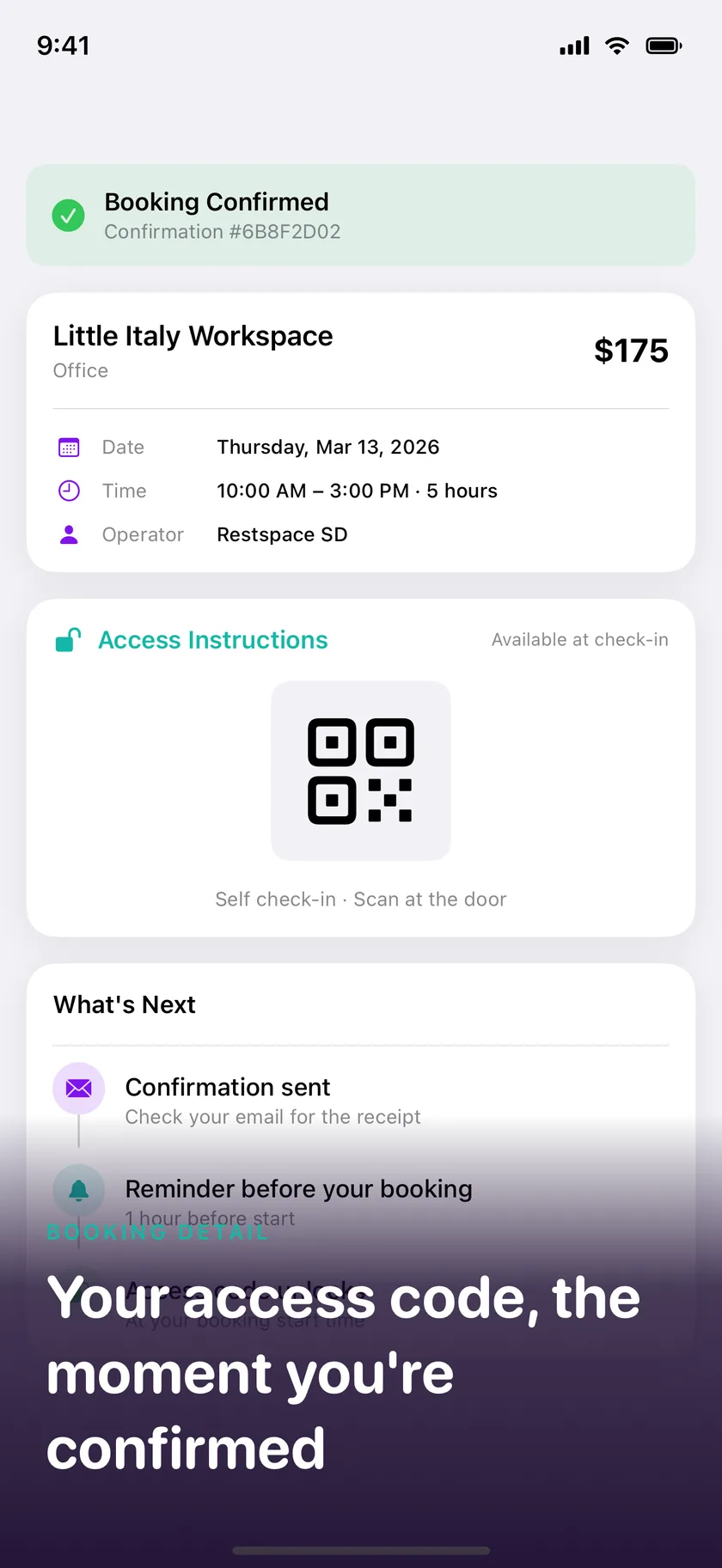
Walk in, use the space, walk out. The capacity returns to the network for the next allocation.
Every leap in technology encoded complexity into an abstraction.
The internet did it for information.
Stripe did it for payments.
Restspace does it for physical capacity.
Today, finding the right space takes too many steps: discover a marketplace, browse categories, reconcile schemas, piece together availability. When capacity is described by what it can do, those steps collapse. You declare an intent. The system allocates.
The result: a large share of urban capacity that sits idle today becomes addressable. Operators earn from hours that previously produced nothing. Guests get a nap, a shower, a desk, or a car, allocated in minutes rather than negotiated over days.

Every space is described by what it can do.
Not what it is. Tap a utility to see it in action.
Operators show their space instead of classifying it. The AI maps photos to addressable capabilities.
REST
On-demand nap pods, quiet rooms, and meditation spaces.
“I need a 30-minute nap to recharge”
WORK
Quiet desks, private offices, and meeting rooms by the hour.
“I need a quiet place to focus for 3 hours”
REFRESH
Showers, grooming stations, and freshen-up facilities.
“Quick shower before my meeting”
STORE
Secure luggage storage, lockers, and vehicle parking.
“Store my luggage securely for the day”
EXERCISE
Gym access, yoga studios, and fitness facilities.
“I need a gym to work out for an hour”
CONNECT
Meeting rooms, event spaces, and social gathering venues.
“Meeting room for 4 people for 2 hours”
MOVE
Cars, delivery vehicles, and trucks on demand.
“I need a car for a few hours in the city”
EVENTS
Pop-up shops, private events, and pop-up dining spaces.
“Pop-up shop space for a weekend”
Restspace in your pocket.
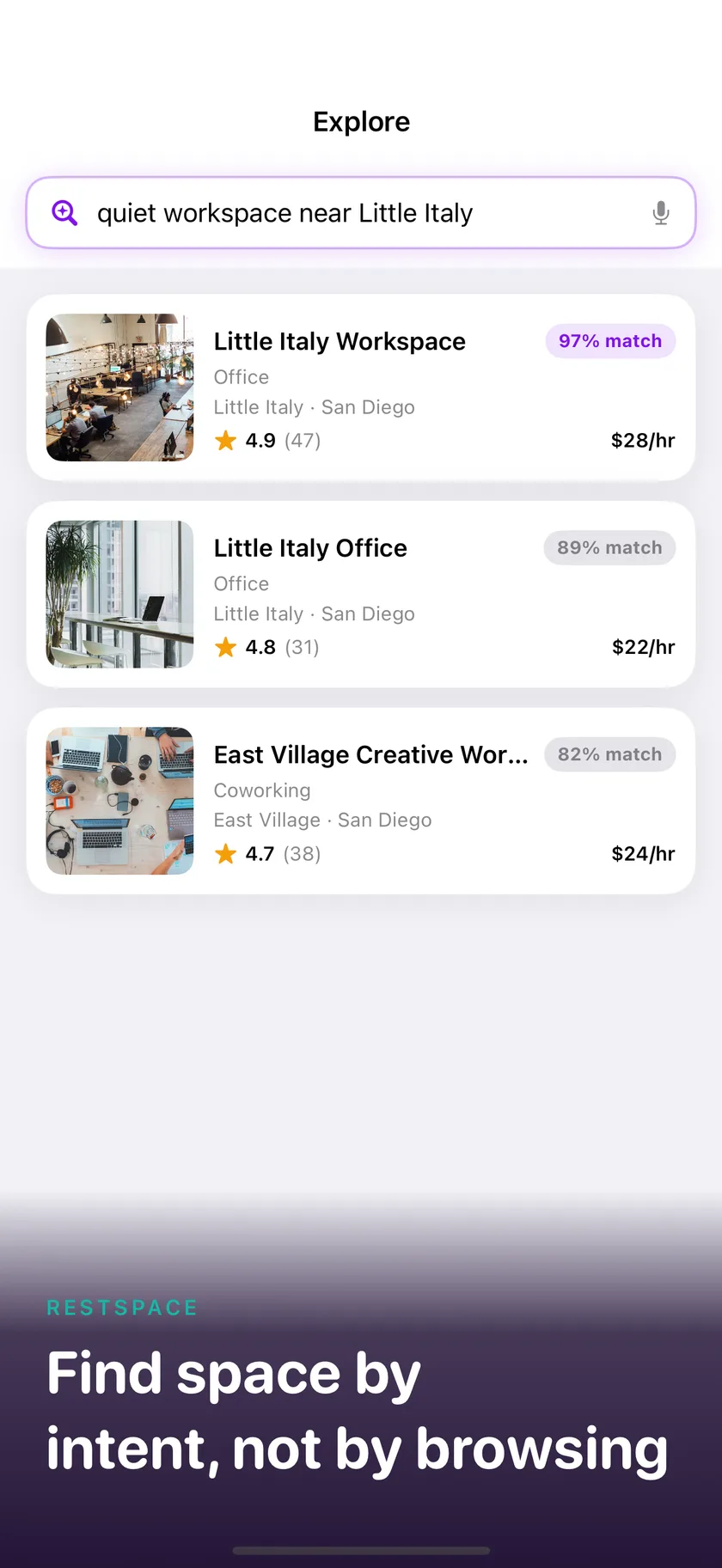
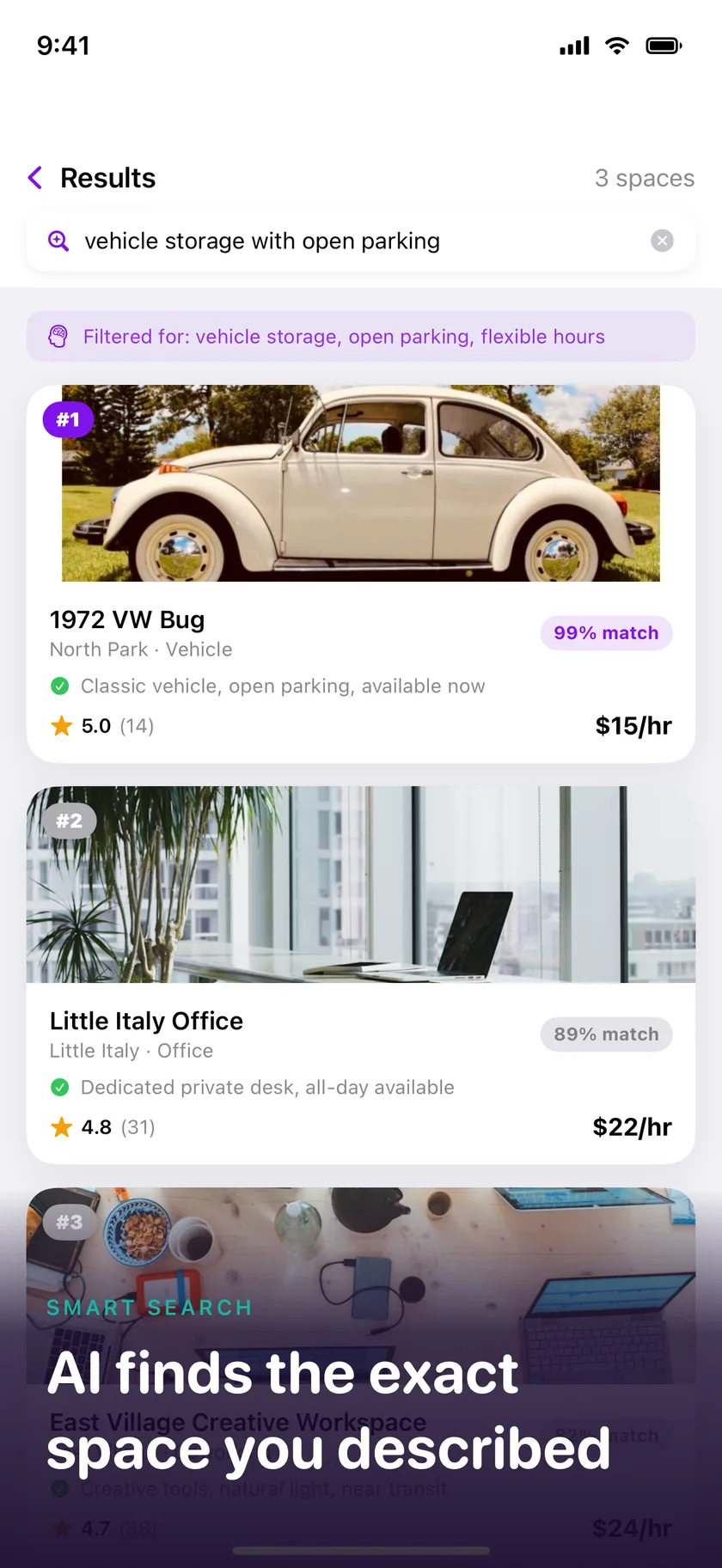
The same AI-powered capacity allocation, now native on iPhone. Available on the App Store.
- Find space by intent, not by browsing
- Allocate capacity in seconds, access on arrival
- Operators approve and manage allocations on the go
Download on the
App Store
Have idle capacity? Activate it.
Show your space with photos or a plain-language description. The AI maps what it can do, and demand routes to you. No monthly fees, and operators keep the full listed price.
Frequently asked questions
Everything you need to know about allocating and activating capacity, and planning a trip.
What is Restspace?
Restspace is programmable physical infrastructure. We turn idle spaces and assets into capacity described by what they can do: Rest, Work, Refresh, Store, Exercise, Connect, Move (vehicles), and Events.
How does allocation by intent work?
Describe what you need and for how long in plain language. Our AI interprets your intent, then the system scores nearby capacity on utility fit, duration, proximity, availability, price, and quality, and allocates the best match.
What does it cost? Are there any fees?
You pay the displayed price, with no extra fees. A small platform fee is already included in every displayed price. Operators pay no monthly fees or subscriptions and keep their full listed price.
Where is Restspace available?
Capacity is concentrated in Southern California today; search any location to see what's live. Restspace is available on the web and in the iOS app.
Can Restspace help me plan a trip?
Yes. The free trip cost planner prices a San Diego trip all in: hotel taxes and fees, parking, tips, kids' menus and tickets. Describe your trip, see the real total, then swap and trim until it fits your budget. No account needed.
Can I cancel an allocation?
Yes. Each space has a cancellation policy set by its operator (Flexible, Moderate, Strict, Super Strict, or Non-Refundable), shown on the space page and at checkout. If an operator rejects your request or cancels your allocation, you always receive a full 100% refund.
How do I activate my own space?
Create an account, go to Activate Your Assets, and show your space with photos or a plain-language description. Our AI proposes utilities, amenities, and pricing for you to review and confirm, and you connect Stripe to receive payouts. It is free to join.
More questions? Visit the Help Center · Try the trip planner